Skylight
- 4.0
- Rating
- 1.00M
- Installs
- Free
- Price

 Analysis by App-foxy
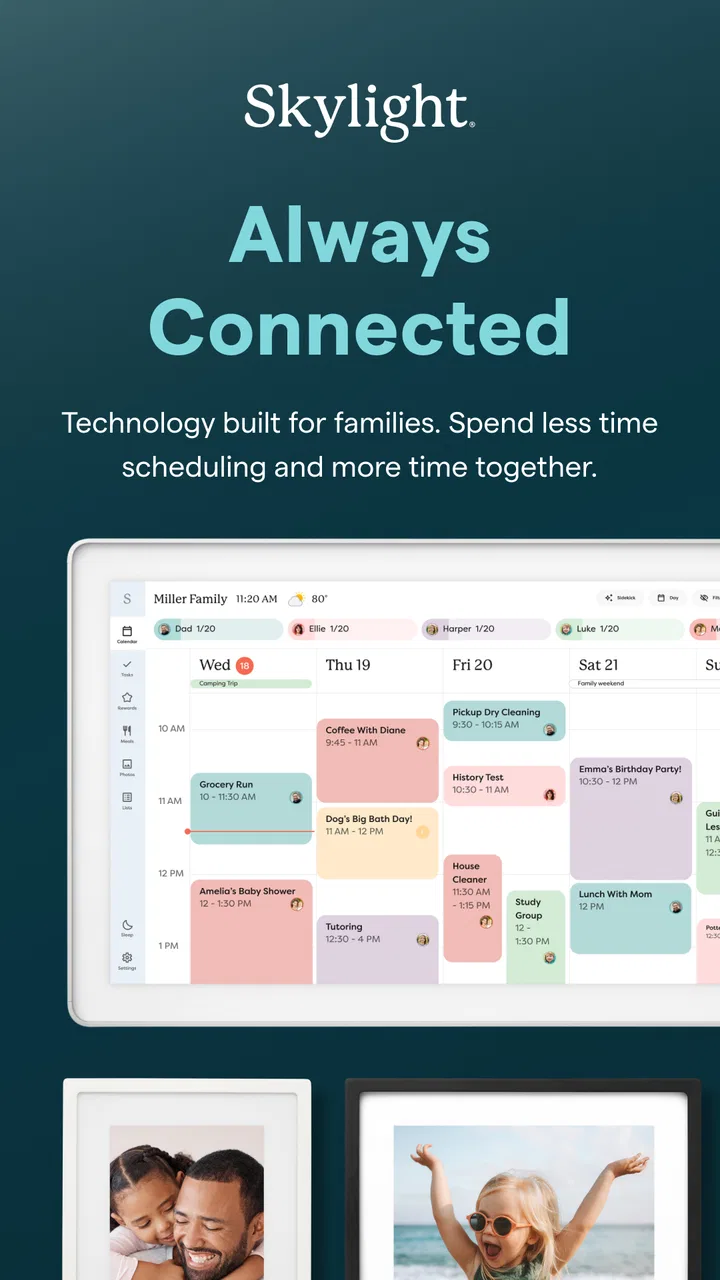
I like apps that solve a specific household problem without trying to become an entire digital lifestyle. Skylight sits in that useful middle ground: it connects a family calendar with a Skylight Frame, giving one place to organize shared plans and send photos to a display made for the home. I reviewed it as a photography app from Skylight Frame, but its value is really split between visual memories and family coordination.
The first thing to understand is that this is not a general photo editor, cloud gallery, or replacement for every calendar service. Its purpose is narrower and more practical. You use it to manage a Skylight Calendar and a Skylight Frame, so the experience makes the most sense when someone in your household already owns one of those devices or is considering one. If you only want filters, albums, or a private camera roll, there are better-fitting choices.
How Skylight feels in everyday use
I find the everyday appeal of Skylight clearest when I think about the small handoffs that keep a household connected: a relative sending a picture, or someone making a plan visible to everyone at home. Its usefulness depends less on browsing lots of options and more on choosing what deserves a shared place. From there, it helps to look at how a first-time user can get that routine started.
You May Also Like

 Blood Strike: 2.5 Anniversary
Blood Strike’s Loadouts Turn Every Drop Into a Tactical Gamble
A close look at Blood Strike’s custom loadouts: how fast access to signature weapons reshapes its battle royale rhythm, rewards preparation, and narrows the gap between fights.

 Pandora - Music & Podcasts
Pandora’s Music Is Easy to Start, but Harder to Recover
Pandora’s strength is its low-effort path from a seed to a station. Its weak spot is how much confidence it asks you to place in connection, setup, and quiet recovery.

 8 Ball Pool
 Is Built on Rivalries, Rematches, and Routine
A close look at the rivalries, rematches, shared routines, and unanswered safety questions that turn a quick pool match into a persistent mobile community.

 Samsung Music
’s Quiet Strength Is Playing What You Already Own
Its reach comes less from spectacle than from dependable access to a personal library. That simplicity is both the app’s strongest retention engine and its ceiling.

 AccuWeather: Weather Radar
AccuWeather Review: A Quick, Clear Forecast for Everyday Decisions
For everyday plans, the best forecast is the one you can understand quickly. AccuWeather makes rain timing, radar, and local conditions easy to act on, with a few trade-offs.

 Hill Climb Racing
Why Hill Climb Racing Still Turns Crashes Into One More Run
A tiny car, a bumpy hill and one more upgrade: Hill Climb Racing keeps resurfacing because its simple chaos makes every near-miss feel personal.
More From Our News Desk
View All News


A simple starting point for family photos
My first impression is that Skylight is designed around reducing friction. Instead of asking relatives to learn a complicated photo-sharing system, it gives them a direct connection to a dedicated family display. That matters for grandparents, children, or less technical family members who may not want to navigate a social network or a full cloud-storage interface.
The photography side feels intentionally focused. You are not opening it for advanced editing or detailed image management. You are opening it because a picture should reach a family frame, or because a shared schedule needs attention. That narrow purpose is a strength when the goal is participation from several generations.
The best experience comes from treating Skylight as a household endpoint, not as your primary photo library. I would keep original photos backed up elsewhere and use this app for the selected images that deserve a visible place at home. That separation makes the workflow easier to understand and avoids expecting a family display tool to behave like a professional gallery.
What speed feels like during normal tasks
For ordinary actions, the app’s design suggests a fairly direct routine: open it, choose the relevant calendar or frame function, and make a small update. I found that kind of focused structure more comfortable than a crowded dashboard filled with unrelated tools. There is less temptation to spend time organizing the organizer.
Perceived speed will naturally depend on the phone, the quality of the connection, and the destination device involved. Sending or displaying a photo is not the same as editing a picture locally, because the result depends on communication between the app and Skylight hardware. I would therefore judge responsiveness by how quickly the whole task completes, not only by how fast a screen opens.
For a quick family update, that distinction matters. A parent may be adding a school event while standing in a parking lot, or sending a new photo before leaving for work. The app is most successful when it keeps those actions short and understandable. It is less convincing if you expect instant, local-only photo manipulation.
A realistic family scenario
Imagine a family with a Skylight Calendar in the kitchen and a relative living in another city. After a child’s birthday party, one person can use the app to send a few carefully chosen pictures to the family frame while another person maintains the week’s shared schedule. The relative does not need to be present to participate in the moment, and the household does not need to print photos or create a separate social post.
That scenario also shows an important trade-off. The app works best when the family agrees on what belongs on the shared display. A frame in a common room is different from a private gallery. I recommend choosing a small set of clear, meaningful images rather than treating it as a dumping ground for every camera shot. The result feels more personal and keeps the display from becoming visual clutter.
When activity becomes heavier
Light use is straightforward, but heavier use changes the character of the app. A busy household may be updating calendar information, sending several photos, switching between family members, and checking whether content has reached the connected device. Those tasks involve more than the phone itself, so the experience can feel less immediate than a local gallery application.
For that reason, I would avoid making a large photo transfer part of a rushed routine. Prepare the images first, remove duplicates, and send only what you actually want displayed. This is a small habit, but it improves the experience in two ways: it reduces unnecessary waiting and makes the frame easier for everyone to enjoy.
A second useful habit is to separate urgent calendar changes from casual photo sharing. If a schedule update affects today, handle that before browsing memories. It keeps the app’s practical function from being buried under the more enjoyable visual one.
Stability and recovery after interruptions
Connected-device apps deserve a different reliability test from offline tools. A photo editor can usually continue working even when a network disappears. Skylight depends more on a chain that includes the phone, the app, the account, the connection, and the Skylight destination. Any interruption can make a completed action feel uncertain.
My advice is simple: after an important calendar change or photo send, take a moment to confirm the result on the relevant screen or device before assuming it is finished. This is especially worthwhile for appointments, travel plans, or family events where an outdated display could cause confusion.
If an update appears delayed, I would not immediately repeat the action several times. That can create duplicate calendar entries or repeated photo submissions, depending on what was already processed. Instead, check the current state, reopen the relevant area, and retry only when it is clear the first attempt did not take effect. This recovery approach is more reliable than tapping repeatedly during a connection hiccup.
The app’s practical value depends heavily on trust. Families will keep using it if a shared change appears where expected and if recovery is understandable when something goes wrong. A connected frame is convenient, but it also means users should build a quick verification step into important updates.
Using it across different kinds of phones
Skylight supports Android devices running version 7.0 or later, which gives it a broad reach among older phones as well as newer models. That is helpful for families who do not all upgrade at the same time. The age rating is Everyone, matching the app’s family-oriented purpose.
Still, operating-system support does not make every phone experience identical. Older hardware may feel less fluid when handling image-heavy screens, while newer devices may make the same process feel nearly instant. Screen size also affects calendar readability: a compact phone is convenient for quick changes, but a larger display is more comfortable when reviewing photos or checking several events.
I would also think about the phone’s available storage before treating it as a place to manage a large personal collection. The app is free to install, but that does not mean it replaces a dedicated backup service or unlimited photo archive. Keep the original files in the system you already trust, and use Skylight for the family-facing selection.
Free access and the role of purchases
The app is free, with optional in-app purchases ranging from $3.99 to $39.99 per item. That makes it easy to start without committing immediately, but families should still pay attention to which part of the overall Skylight setup they are paying for. The free download is only one piece of the experience; the value depends on the connected Skylight product and the services you choose to use.
I would recommend trying the basic workflow before spending money: install the app, understand how your household would share photos, and decide whether the calendar and frame fit your routine. If the family rarely updates a shared schedule or already has a display everyone uses, an additional purchase may not add enough value.
On the other hand, the purchase can make sense when the physical frame is deliberately placed somewhere visible and several relatives will contribute. In that situation, the app is not merely another photo folder. It becomes the control point for a shared object in the home.
How it compares with familiar alternatives
Compared with a standard phone gallery, Skylight is less flexible but more purposeful. A gallery is better for searching, editing, sorting, and keeping a private archive. Skylight is better when the destination is a family frame and the people viewing the photos may not be the same people taking them.
Compared with a messaging group, it offers a calmer presentation. Messages are useful for conversation and instant reactions, but photos quickly disappear into a stream. A frame gives selected images a physical presence. The trade-off is that Skylight is less suited to back-and-forth discussion, so it should not be expected to replace family messaging.
Compared with a shared cloud album, the app has a more concrete household purpose. Cloud albums are usually stronger for large collections, searching, and long-term organization. Skylight wins when the important question is not “Where is the album?” but “Can the family see this picture in the room?”
For calendars, the comparison is similar. A general calendar service may offer deeper integrations or more mature scheduling tools. Skylight is more appealing when the household wants plans visible on a dedicated device and wants photo sharing and family organization to live in the same ecosystem.
Who will benefit most from the app
I think Skylight is especially suitable for families who want grandparents or relatives to receive regular photos without requiring them to manage a complicated account. It also suits households that benefit from a visible shared schedule rather than keeping every plan hidden inside individual phones.
It can be useful for parents coordinating school activities, appointments, meals, and family visits, provided they are comfortable using a dedicated Skylight device as part of the routine. The photography feature adds warmth to that practical setup: the same household display can show memories as well as plans.
It is less suitable for photographers who need editing controls, metadata management, detailed album structures, or a serious backup workflow. It is also not my first recommendation for someone who only wants a free place to store thousands of images. In those cases, a conventional gallery, cloud photo service, or messaging platform may be more capable and less dependent on specialized hardware.
Small workflow choices that make a difference
One of my strongest recommendations is to create a “display-ready” selection before sending photos. Choose images with clear subjects, avoid near-identical shots, and consider whether the picture will still look good when viewed from across a room. A photo that seems fine on a phone may feel too dark, busy, or tightly cropped on a frame.
For shared scheduling, use consistent wording for events. A short title that includes the person and purpose is easier to understand at a glance than a private shorthand only one family member recognizes. This is not a glamorous feature, but it determines whether the calendar actually reduces questions around the house.
Another practical insight is to assign responsibility for important updates. If everyone can change the same household information, mistakes can become difficult to trace. A simple family agreement about who handles appointments, school events, or travel plans can make the app feel much more dependable.
Finally, treat the frame as a public room display. Before sending a picture, consider who may see it and whether it suits a shared space. That mindset prevents the common mistake of using a family-facing device like a private camera roll.
Long-term confidence and maintenance
The developer is Skylight Frame, and the app has reached a 4.4 average from around 26 thousand ratings, with more than 10 thousand written reviews and over a million installs. Those figures suggest that the product has found a substantial audience, but popularity alone does not guarantee that it will fit every household. The important question is whether your family wants the connected frame-and-calendar arrangement in the first place.
The current version is 1.95.0. I would keep the app updated through the normal app-store process, especially when using it with a dedicated household device. Updates are most valuable here when they preserve compatibility and keep the communication between phone and frame dependable, although the day-to-day benefit may be less visible than a new editing feature in a photography app.
In regular use, resource demands are likely to be most noticeable during image-related activity rather than simple calendar viewing. Browsing or preparing photos can be more demanding than reading a short event list, particularly on older phones. If the app feels sluggish, closing other heavy apps, reducing the number of images handled at once, and working from a clean selection are sensible first steps.
My performance verdict
Skylight performs best when the task is focused: send a meaningful photo to a family frame, or make a shared calendar change that people can see. It is not built around the speed of professional photo work, and I would not choose it for editing, archiving, or managing an extensive personal collection.
Its real strength is the connection between a phone action and a visible household result. That connection makes the app feel more personal than a normal gallery and more tangible than a message thread. The cost is dependence on a compatible Skylight setup, plus the extra care required when an update involves a networked destination.
My honest recommendation is to choose it when your family wants a dedicated place for both photos and plans, especially if some relatives are not enthusiastic smartphone users. Start with a small, intentional photo routine and verify important calendar changes until everyone trusts the workflow. Skip it if you need a powerful photo manager, a private archive, or a calendar with extensive integrations.
For the right household, Skylight is a thoughtful photography companion rather than a feature-packed camera app. I like it because it gives selected memories a place in everyday life while keeping family organization visible. Its performance verdict is therefore conditional but positive: stable value comes from the complete frame-and-calendar routine, not from the phone app in isolation.
FAQs for Skylight
01What is Skylight and what does it do?
Skylight is a versatile app designed to enhance productivity and streamline task management. It combines features such as calendar integration, task scheduling, and real-time collaboration tools, making it ideal for both individual and team use. Users can set reminders, track deadlines, and synchronize across devices, ensuring seamless workflow management.
02Is Skylight available on both Android and iOS devices?
Yes, Skylight is available for download on both Android and iOS platforms. It ensures cross-platform compatibility, allowing users to access their accounts and data seamlessly from any device. This versatility makes it a convenient choice for users who frequently switch between different operating systems.
03Does Skylight require an internet connection to function?
While Skylight offers offline capabilities for most of its features, an internet connection is necessary for syncing data across devices and enabling real-time collaboration. Users can still access previously synced tasks and schedules offline, but updates will be reflected only when the device reconnects to the internet.
04Are there any subscription fees for using Skylight?
Skylight offers a freemium model, providing basic features for free. Advanced functionalities, such as enhanced collaboration tools and additional customization options, may require a subscription. Various plans are available, catering to different user needs, ensuring that both individuals and teams can find a suitable package.
05How secure is the data stored in Skylight?
Skylight takes user privacy and data security seriously, employing industry-standard encryption protocols to protect information. Regular security updates and compliance with data protection regulations ensure that users' personal and professional data remain secure. Users can also enable two-factor authentication for added security.
Pros
- User-friendly interface and design.
- Seamless integration with other apps.
- Customizable notifications for updates.
- Wide range of supported devices.
- Offline access to key features.
Cons
- Occasional sync issues with cloud.
- Limited free version features.
- In-app purchases can be pricey.
- Requires a stable internet connection.
- No dark mode available yet.

Skylight
Gallery